What a developer’s Mac needs from a cleaner
On a developer's Mac the space rarely goes to photos or mail. It goes to tools that each keep their own copy of the world, in folders a general list of “junk” doesn't name. Specula is built around those:
- Docker's real size. Docker Desktop keeps everything in one sparse file,
Docker.raw, whose listed size can be far above what it occupies. Specula counts allocated blocks, so you see the real figure, plus estimates for the build cache and unused images, and lets you remove images one by one. - Build caches and tool caches. Xcode DerivedData, simulator caches, Gradle, Maven, SwiftPM, npm, pnpm, Yarn, Bun, pip, uv, Cargo, Homebrew, Playwright browsers and JetBrains caches, each with a note and, where the tool has one, its own cleanup command.
- Project artifacts by last-touched date.
node_modules, Rusttarget/, Gradlebuild/and.gradle/,.build, virtual environments,Pods,.nextand.turbo, each shown with when the project was last touched — so a folder from a project you shipped last year doesn't look the same as one you built this morning. - Xcode build folders anywhere. Not only
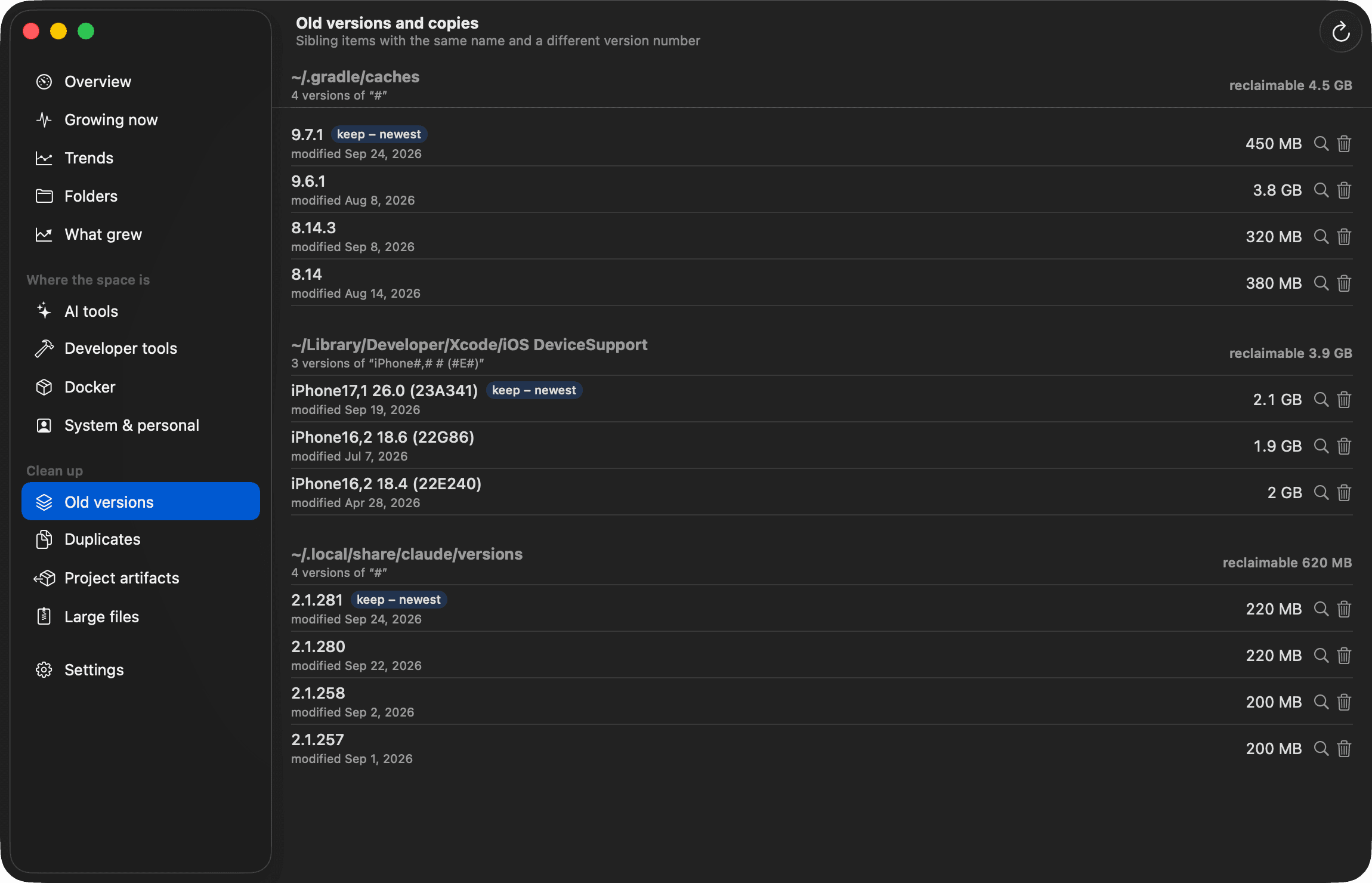
~/Library/Developer/Xcode/DerivedData: any folder Xcode orxcodebuild -derivedDataPathbuilt into, whatever its name. - Old tool versions. Sibling folders that are versions of the same thing — Claude Code versions,
gradle-8.9-bin,IntelliJIdea2024.2,App-<hash>folders in DerivedData — grouped, with the newest marked to keep. - AI coding tools. Claude Desktop and Claude Code, Codex, Cursor, VS Code, Gemini CLI and local models from Ollama, Hugging Face and LM Studio. Old Claude Code, Codex and OMP session transcripts can be packed into compressed archives you can restore later; the originals are deleted only after Specula has checked the archive by extracting a copy.
- Duplicates that are really duplicates. Identical files are found by size, then a partial hash, then a full SHA-256. APFS clones are detected, because deleting a clone frees almost nothing.
The full scan stays on one volume, follows no symbolic links and counts hard links once.
How it decides what is safe
Every location Specula knows carries one of three safety levels:
- Regenerable: caches and build output the tool recreates on demand. Deleting them costs a rebuild or a download.
- App data: deletable, but you lose history or pay a bigger download — simulator devices, emulator disks, local models, old app versions.
- Your data: session transcripts, Xcode archives, Downloads, iPhone backups. When you delete one of these, it can only go to the Trash, so you can still look before it is gone.
The one-click Clean Up plan, biggest first, checks by default what is cheap to get back: caches, Xcode build folders in projects not built for 3 days, dependencies and build output of projects nobody touched for 14 days. What costs more — Android system images, Device Support, older Gradle versions, unused Docker images, simulators not started for 30 days — stays unchecked until you check it. The plan never counts the same bytes twice.
Nothing is deleted without a confirmation, and you choose between the Trash and permanent deletion. Before anything goes, a safety policy checks the path twice — when you ask and right before it runs — and refuses the home folder and anything outside it, standard folders such as Documents and .ssh, top-level ~/Library folders, iCloud Drive and other synced folders, an app's whole data folder, your mail, messages and keychains, and anything inside a Photos library.
Docker is handled through Docker itself. Images are removed with docker image rm, which refuses an image a container uses. Volumes are never cleaned, Docker.raw can't be deleted from Specula at all, and with a remote Docker context Specula only reads.
It warns you before the disk is full
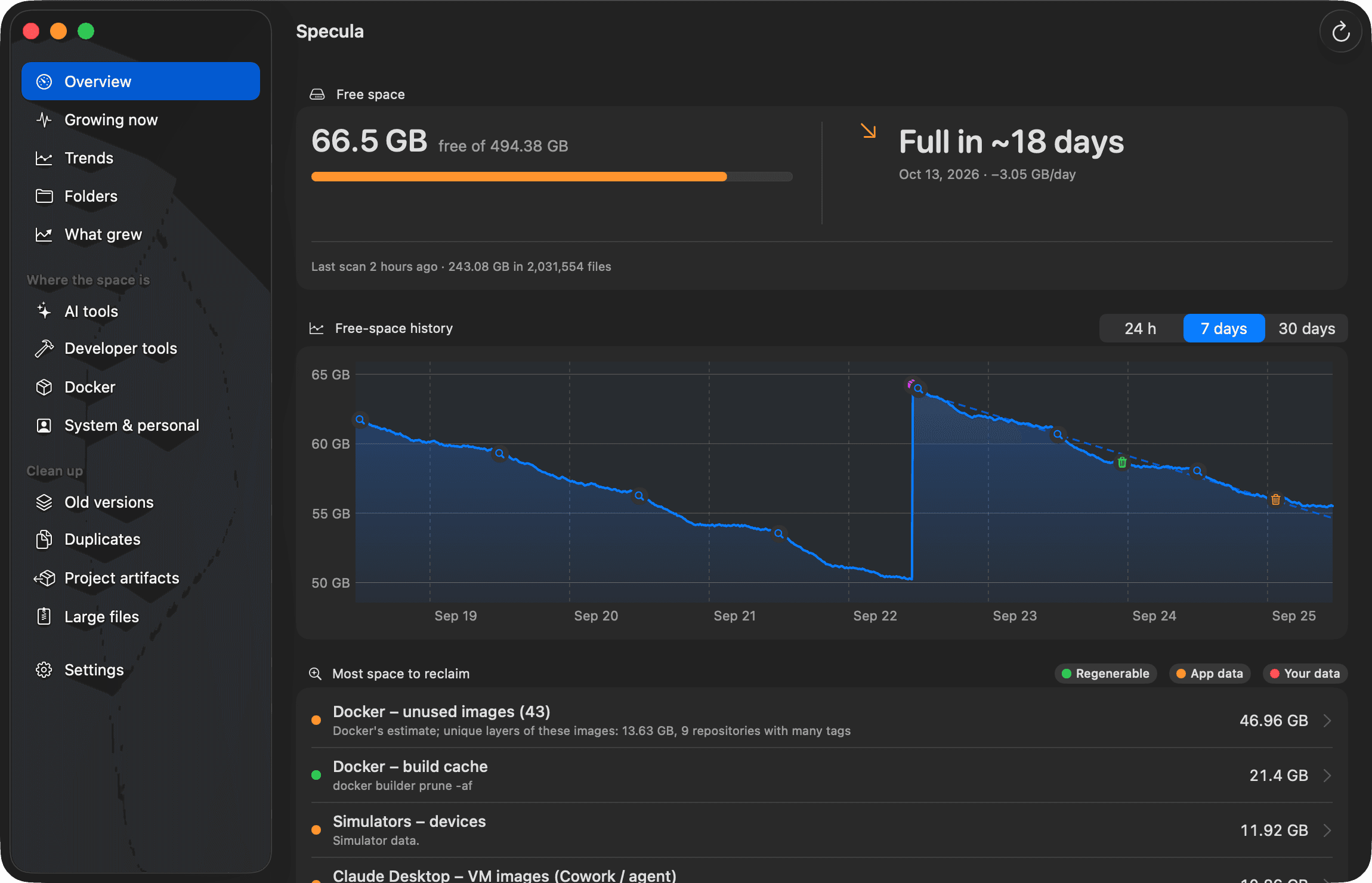
Free space sits in the menu bar, with 30 days of history sampled every 5 minutes. Specula notifies you when free space drops below a threshold you set or disappears fast — by default 10 GB or more within an hour.
The forecast is a least-squares trend over the last 7 days, such as “full in ~6 days, −3.1 GB/day”. It needs at least 6 hours of samples, so one big build or download can't fake a trend. Per-tool sizes are recorded hourly, and “What grew” compares the latest scan with the one before, so you can see which tool is eating the space.
Everything stays on your Mac
Scans, history and settings stay on your Mac; your files and scan results are never uploaded. There are no accounts and no analytics. Specula goes online to check its license and to look for updates, and — only if you turn them on — to send crash reports. The privacy policy lists exactly what each request carries.
Specula vs a general-purpose Mac cleaner
This isn't a comparison with any particular app. It is what Specula chose to be, so you can judge whether it fits:
- It names developer tools. Results read “Xcode – DerivedData” or “Docker – build cache”, not a single “system junk” total.
- It tells you the cost. Each item says whether it comes back by itself, costs a download, or is yours.
- It deletes files only in your home folder. Its safety policy refuses any path outside it, so system files stay untouched.
- It never cleans on its own. Monitoring is automatic; deleting always waits for you.
- It does one job. Specula is a disk-space monitor and cleaner. It doesn't uninstall apps, scan for malware or manage memory.
- It ships outside the Mac App Store, as a notarized download, because the App Store sandbox rules out whole-disk scans and calling
docker. Full Disk Access is optional; without it, macOS asks about each protected folder and a few can't be measured.
Price and license
Specula is a one-time purchase: $5 plus applicable tax, for one Mac, with one year of free updates and a 14-day refund, no questions asked. There is no subscription and no trial — Specula works once you activate the license key you receive by email. It runs on macOS 14 or later.
The terms and refund policy have the details.
Guides
Want to do it by hand? These guides explain each location and the commands that clear it safely:
- “Your disk is almost full” on Mac: what to do first
- Mac System Data too large? What it is and how to shrink it
- Docker taking up disk space on Mac? Shrink Docker.raw
- Xcode DerivedData: location, and is it safe to delete?
- Xcode taking up too much space? Simulators, DeviceSupport
- Delete node_modules recursively on Mac — size them first
- Clear Gradle cache on Mac (and Android Studio's leftovers)
- Clear Homebrew, npm, pnpm, pip and Cargo caches on Mac
- Claude Code, Codex and Cursor disk usage on Mac